
German Moped Days Bug Reports and Feedback Guide
German Moped Days bug reports go directly through the in-game phone or PC interface, as well as the developer's official Roblox group. The game runs in active beta, allowing players to report glitches discovered during gameplay.
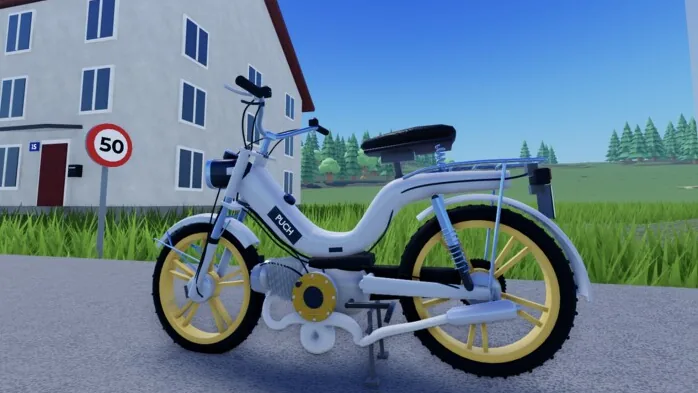
German Moped Days bug reports go directly through the in-game phone or PC interface, as well as the developer's official Roblox group. The game runs in active beta, allowing players to report glitches discovered during gameplay.
Developer 123xPhilx321 operates the experience in an open beta status, which means unexpected mechanical errors, vehicle glitches, and environment flaws can occur while driving or tuning. Official game notices invite players to submit feedback directly whenever an issue interrupts regular play.
Where to Submit German Moped Days Bug Reports
The developer provides specific communication channels for issues encountered during gameplay. Choosing the appropriate interface ensures your report reaches the developer efficiently.
| Reporting Channel | Best Used For | What to Provide |
|---|---|---|
| In-Game Phone Interface | Immediate glitches during driving or maintenance | Specific details about the current action or vehicle behavior |
| In-Game PC Interface | Issues encountered while managing the garage | Descriptions of garage errors or order delays |
| Roblox Group | Critical issues preventing gameplay or login problems | Account context and platform environment |
The primary method for lodging reports takes place inside the session itself. When active in a server, players can access either the in-game phone or the in-game PC terminal to submit written feedback directly to the development pipeline. For players who cannot remain in the session or who run into broader profile issues, posting in the developer's official Roblox group serves as the secondary channel.
Beta Testing and Gameplay Systems
Because the title remains in development, several complex mechanics interact across every server session. Players regularly engage with systems such as manual fuel mixing before heading onto roads, operating the physical kick start sequence, and purchasing upgrades for their vehicles.
System updates also touch premium features and shop items. Account inventory management spans store purchases such as cheap tuning discounts, instant deliveries for ordered parts, and cosmetic features like underglow lights. When vehicle components or purchased items fail to trigger properly in the garage, documenting the exact step where the process stopped gives the creator actionable data to prepare subsequent patches.
Tracking Development Updates
The experience title frequently reflects active maintenance, featuring patch designations like "UPDATE! + fix!" directly on the server browser. Creator 123xPhilx321 posts progress notifications through the Roblox group. Joining the community group and following the creator profile provides direct alerts whenever hotfixes deploy to public servers. Players encountering the creator inside an active session can also unlock the official Met the Owner badge.